
When is a PrestaShop store no longer enough? 7 warning signs before expanding into B2B

Author: Justyna Brończyk
Key Projects Lead
· 8min read

In short: PrestaShop is a good open source platform for B2C stores and simple wholesale. If you want to build full B2B sales on top of it, first check 7 signs: customer-specific pricing, credit limits, company accounts with multiple users, the number of modules and overrides, ERP sync, performance with per-customer prices and the platform version. One or two signs can usually be solved within PrestaShop. Four or more mean that extending it will cost more than changing the architecture.
Why do companies want to extend PrestaShop with B2B?
The scenario is almost always the same. A company has a retail store on PrestaShop that has been running for a few years. More and more orders come from businesses: by email, by phone, as Excel files. The natural idea is to add wholesale prices, business logins and payment on invoice to the existing store.
It’s a sensible instinct. PrestaShop is open source, you own the code and the module market is huge. To start with, you can use customer groups, specific prices and the built-in B2B mode, which adds company fields to customer accounts. For a dozen or so trade customers with a simple discount, that is often enough.
The problem appears when B2B sales grow and start to reflect real trading agreements. At that point every missing feature is added with another module, and the store slowly turns into a puzzle that nobody fully understands.
If you’re weighing a SaaS platform instead of open source, I described a similar problem in the article on running a B2B store on Shopify or Shoper. Here I focus on what happens to an existing PrestaShop store.
7 signs that PrestaShop is no longer enough for B2B sales
1. Specific prices are no longer the exception
PrestaShop lets you set a price for a customer group or an individual customer using specific price rules. With a dozen trade customers that works well. With several hundred customers, each with their own price list from the ERP, the number of rules runs into tens of thousands.
That creates two problems. The first is maintenance: someone has to import those rules and keep them in line with the ERP. The second is performance, because every product view requires calculating the price for the logged-in customer.
The sign: sales reps regularly hear from customers that the price in the store differs from the one on the invoice.
2. Customers want to buy on trade credit
PrestaShop’s B2B mode adds fields such as allowed outstanding amount and maximum payment days to the customer account. But these are mainly information for store staff. The store doesn’t know on its own how many unpaid invoices the customer has in the ERP, and it won’t block an order once the limit is exceeded.
To make that work, you need an integration that pulls receivables from the ERP in real time and checks them at checkout. That’s a separate project, not a setting in the admin panel.
The sign: your accounts team manually holds orders from customers with overdue payments.
3. One account no longer equals one company
In PrestaShop a customer account is one person with one email address and a list of addresses. In B2B the customer is a company, where a purchaser places the order, a manager approves it and accounting downloads the invoices. On top of that, every branch has a different delivery address and often a different budget.
Company account modules exist, but each brings its own data model, which then has to work with prices, discounts and the ERP integration.
The sign: several employees of one company log in to a shared account, because otherwise they can’t see the order history.
4. Modules and overrides grow faster than sales
This is the sign we see most often with PrestaShop. Every B2B feature missing from the core means another module: quick order, minimum order quantities, requests for quote, price lists, company accounts, deferred payments. Some modules override core classes through PrestaShop’s override mechanism, and two modules overriding the same class can effectively disable each other.
We write PrestaShop modules ourselves, including an official payment integration for one of the payment operators, so we know how much work it takes to keep them compatible with new platform versions. With 30 or 40 modules from different vendors, every update becomes a project with regression testing.
The sign: your team is afraid to update the store, because “last time something stopped working”.
5. ERP sync runs once a day
In B2B sales the ERP is the source of truth for prices, stock, documents and receivables. In many PrestaShop stores the integration is a nightly CSV import or a cron job that updates stock and prices once a day. For B2C that’s usually fine. For B2B it means a customer orders goods that have been out of stock since the morning, or sees a price from before the price list changed.
I describe how to plan two-way data exchange in the article on integrating a B2B platform with ERP, PIM, WMS and CRM.
The sign: customers check order status, documents and invoices by email or phone, because they aren’t in the store.
6. The store slows down after login
A B2C store caches well: every anonymous visitor sees the same page and the same prices. In B2B every logged-in customer sees different prices, different products and different terms, so a large share of pages has to be generated on the fly. With a catalogue of tens of thousands of products and thousands of price rules, PrestaShop needs careful optimisation and stronger infrastructure.
The sign: a category page loads quickly for a guest and several times slower for a logged-in trade customer.
7. The store runs on an old PrestaShop version
Many stores still run on PrestaShop 1.6 or 1.7, and modules bought a few years ago have no versions compatible with PrestaShop 8 and 9. Building B2B on an outdated version means adding new features to a foundation that will have to be rebuilt anyway. Add to that security gaps and incompatibility with current PHP versions. We cover that risk in more detail in the article on why skipping CMS updates is a business risk.
The sign: for two years, the answer to “when do we update the store?” has been “after the season”.
How many signs are too many?
Not every sign means you need a new platform. My practical scale looks like this:
- 1-2 signs: stay on PrestaShop and do it properly. Upgrade to a supported version, review your modules, build a solid ERP integration and choose one well-thought-out B2B module instead of five random ones.
- 3 signs: cost both paths over 3 years. A sensible setup often turns out to be PrestaShop continuing to serve B2C, with a separate B2B platform alongside it, both connected to the same ERP.
- 4 or more signs: extending PrestaShop with B2B will most likely be more expensive and riskier than implementing a platform that has these features in its core.
The article on how much a B2B platform costs will help you with the calculation.
What should you do before deciding to extend?
Before you order another module or a new platform, do three things:
- Map your B2B sales process: how customers order today, who approves, where prices come from, how payment and returns work. That’s the starting point for any decision.
- Take stock of your store: PrestaShop and PHP versions, a list of modules with their last update date, a list of core overrides, how the ERP integration works.
- Separate B2C and B2B requirements: some needs only concern trade customers and don’t have to weigh down the retail store.
We do this kind of inventory and recommendation as part of an e‑commerce audit. You’ll find more on when PrestaShop is a good choice and when to consider another technology on our PrestaShop page.
Which platform instead of PrestaShop for B2B?
If most of the signs apply to your store, look at platforms with B2B sales in their core: Magento (Adobe Commerce), Shopware or the natively B2B Endora Commerce, where per-customer price lists, credit limits and company accounts with roles are part of the platform rather than add-ons. If you run a wholesale business, also see how a platform for distributors differs from a standard B2B store.
So what’s the takeaway?
PrestaShop isn’t a bad choice for a company starting B2B sales. It’s a good starting point. Trouble begins when each new need from trade customers is solved with yet another module, without looking at the whole. Two years later the company has a store it’s afraid to update and sales reps who correct prices by hand.
Better to count the signs now, before you extend the store, than after your module budget has exceeded the cost of a new platform.
FAQ
Is PrestaShop suitable for B2B sales?
For simple wholesale, yes: customer groups, specific prices and B2B mode are enough for a dozen or so customers with a discount. With customer-specific price lists from the ERP, credit limits and company accounts with multiple users, you need numerous modules and integrations.
What does B2B mode in PrestaShop do?
It adds company details to the customer account, along with fields such as allowed outstanding amount and maximum payment days. These are mainly information for store staff. Without an ERP integration, the store doesn’t check customer receivables automatically.
Should you update PrestaShop before adding B2B?
Yes. Building on an outdated version means adding features that will have to be migrated during the upgrade. Upgrade and review your modules first, then add new features.
Can you run B2C on PrestaShop and a separate B2B platform?
Yes. It’s a common setup: PrestaShop serves retail customers and a separate B2B platform serves trade customers. Both use the same ERP as the source of prices and stock.
Not sure whether your PrestaShop store can handle B2B sales? Book a free consultation, we’ll review your store and sales process and tell you whether to extend your current platform or move to a B2B sales platform.
Our services
Full-spectrum B2B e‑commerce support
B2B sales platforms on Magento, Shopware, Sylius and Endora Commerce: per-customer price lists, RFQ, a customer portal and ERP integration.
PIM ImplementationPIM implementation (Pimcore, Akeneo, Ergonode) integrated with your ERP and sales platform: one source of product data, descriptions and images for your B2B store and marketplaces.
E‑commerce Consulting and AnalysisB2B e‑commerce consulting: online sales strategy, platform selection, implementation roadmap and data analytics (GA4, Power BI, Looker Studio). Decisions based on data, not gut feeling.
Keep reading
Recently published

How much does a B2B platform cost? What goes into implementation and running costs
The licence is only the start. What a B2B platform really costs: implementation, integrations, migration and maintenance. How to compare quotes and work out TCO.
Read more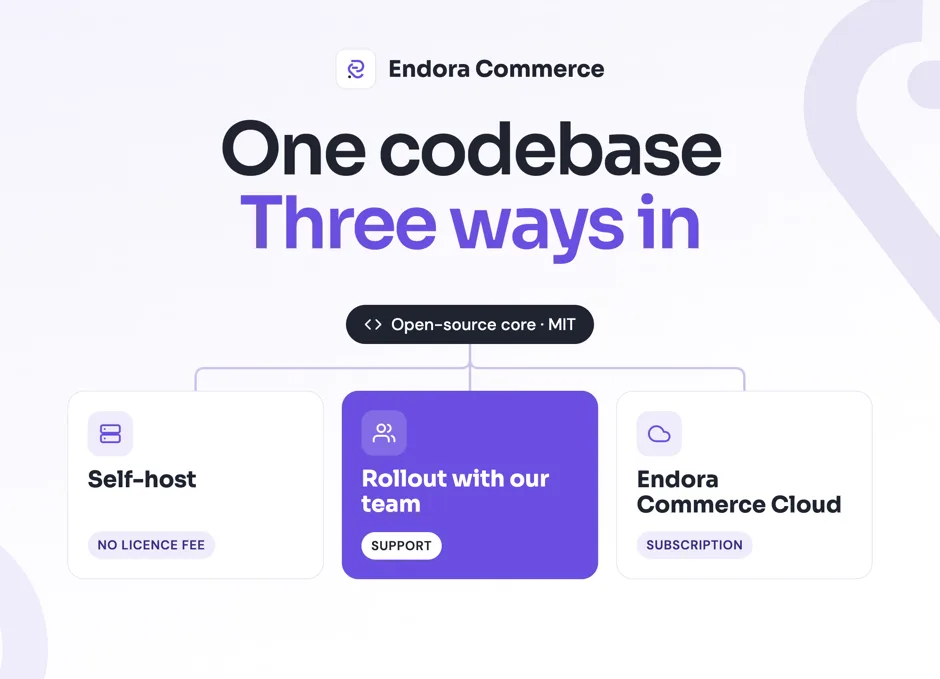
Self-hosting, a guided rollout or Cloud: how to choose your way into Endora Commerce
One codebase, three ways in: when self-hosting Endora Commerce pays off for a B2B company, when a rollout with Endora's team does, and when Cloud fits.
Read more
Endora Commerce under the MIT licence: what open code changes when you choose a B2B platform
Endora Commerce is now open source under MIT. What it means for a B2B company: code ownership, paid modules, and self-hosting vs a rollout vs Cloud.
Read more
Google Ads for B2B: how to optimize campaigns for lead quality
How to set up conversions, assign value to leads and connect CRM data so that your B2B Google Ads campaigns stop optimizing for the number of forms and start optimizing for real sales.
Read more
Why I Started the Manufaktura E‑commerce Podcast
Michał Zabielski on how the Manufaktura E‑commerce podcast started, who it's for, and what episodes you'll find. 22 episodes about building B2B platforms.
Read more
A B2B Sales Platform for Manufacturing: ERP, PIM and Online Sales in One Place
A B2B sales platform for manufacturing brings ERP, PIM and online sales into one process. See how industrial companies can sell online without data chaos.
Read more
Endora Commerce features: which modules a rollout starts with
How we match Endora Commerce modules to a B2B company’s processes: pricing, orders, warehouses and channels. The full catalog is on the product site.
Read more
Endora Commerce industries: how we match a rollout to your business
How we tailor an Endora Commerce rollout to the industry: manufacturing, technical distribution, wholesale, MRO, building materials and automotive parts.
Read moreHave a specific challenge?
Don't just read about it - let's talk about your case.